
IPTV SLOVAKIA GUIDE
How to Install IPTV Slovakia: Setup Checklist
Follow a clear setup sequence: identify the device, choose the supported player, add access details privately and test normal viewing before arranging payment.
Choose a plan for your setup →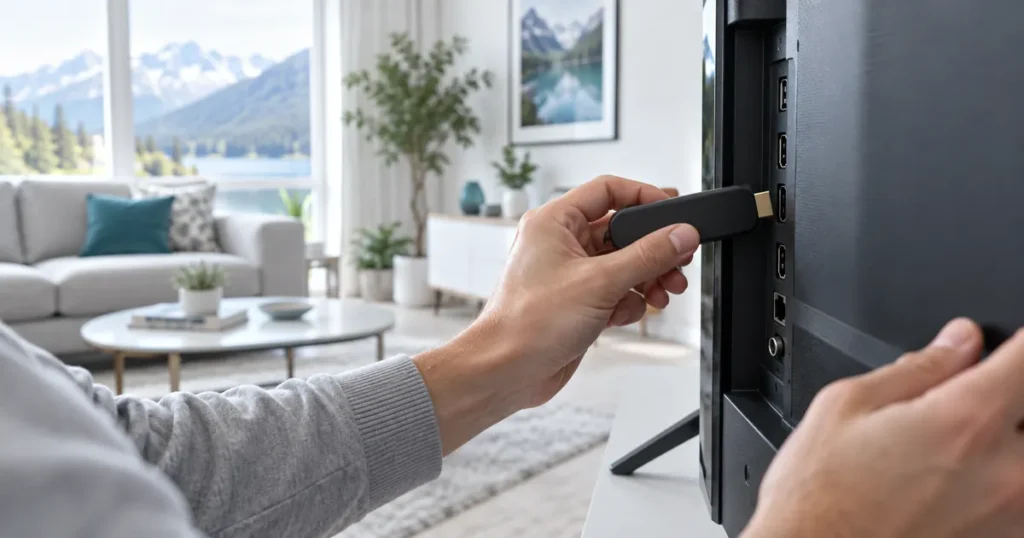
Identify the hardware and supported player
Begin with the device model and operating-system version. Determine whether you will use an app on the television itself or an external streaming device. Ask support which player is suitable, then use the verified store or publisher route for that platform. A similar app name is not enough to establish that it is the correct application.
Check any separate player activation requirements before paying for software. The Premium offer names a supported Hot Player / IBO activation arrangement, but that does not make every application free. Installation and service access remain distinct parts of the process.
Prepare the network and basic settings
Connect the device through the network it will use for normal viewing. For a fixed television or box, compare a wired connection where supported. Make sure the device clock and ordinary audio output are sensible before diagnosing guide timings or sound problems inside a player.
Avoid changing several settings at once. A stable starting point makes later comparisons useful. If the device cannot reliably use other supported applications either, investigate that broader issue rather than assuming a subscription change will repair it.
Add the supplied access information
Use the player’s supported method for your account: follow the confirmed instructions rather than guessing whether a field expects a server address, username or complete playlist. Copy values carefully and check for accidental spaces. If an activation portal is used, verify the destination with support.
Treat playlist addresses, account passwords and device keys as private. Do not paste them into public comments or upload unredacted screenshots. Keep the order number available for support, but do not share the secure order key when a simple reference number is enough.
Run a practical viewing check
Open an available source and confirm picture and sound. Try navigating back to the guide, switching categories and returning from standby. Where subtitles, catch-up or higher-quality playback are important, check those specific supported features rather than assuming they work because basic live viewing opens.
For multiple connections, test the devices together. Note whether a problem affects one source, one device or every stream. This helps distinguish app, network and source questions. Record the exact error message privately instead of repeatedly reinstalling without learning what changed.
Complete the request and retain useful details
Choose the tier, duration and simultaneous connections in the shared pricing component. Review the same details in the cart and checkout summary. The manual order is placed on hold while the team prepares setup, and payment is arranged after you check the subscription on the intended equipment.
Keep a private note of the player, device and order number. If you replace hardware later, ask support how to move or update the arrangement. Read the existing terms and refund policy before selecting a long duration, and ask about test availability if compatibility is still uncertain.
Keep troubleshooting reversible
If setup fails, pause at the point of failure and record what is visible. An app missing from the store, an invalid-login message, an empty guide and a source that opens without sound are different problems. Treating them as one generic installation failure often leads to unnecessary changes.
Change one supported setting at a time and note the result. Do not reset the whole television, disable device security or replace working network equipment as an automatic first step. Ask the team for guidance specific to the model and player.
Once the setup works, retain the useful details privately. That gives you a baseline if a later app update, equipment replacement or home-network change affects viewing. It also makes a future support request much clearer.
Questions about How to Install IPTV Slovakia
Do I need to install a new operating system?
No such step is part of this guide. Use the device’s supported application route and ask about compatibility rather than changing its system.
Where do I get my private setup details?
Use the established support channel associated with your request. Do not obtain credentials or activation instructions from an unrelated website.
What if the player accepts my details but a channel fails?
Report that source and the time of the issue. Authentication, guide data and video playback are separate checks.
Should I test every device at the same time?
If you selected multiple simultaneous connections, test the expected combination together to assess the real household setup.
When is payment arranged?
The current manual flow prepares setup first, lets you check it and then arranges payment with support. The checkout does not automatically charge a card.
Ready to choose? Compare the exact plan totals or ask the setup team. Read the terms of use and refund policy before submitting your request.